Setup Guide
A phone-native execution layer for Hyperliquid. Quick-tap trading, stop losses on SPOT, a systematic trade engine on PERPS, and TradingView webhook automation.
Quick-Tap Trading
3 taps to execute using a limit-mid order with skew (LM) to ensure fill with the speed of a market order without the costly slippage.
Trade Automation on PERPS
You define the entry. Our systematic trade engine auto-sizes the position based on your preferred risk profile and account balance. The trade is then managed across three phases that step risk down and adapt to the price action as the trade develops.
Stop Losses on SPOT
Nobody can place stop loss orders on spot positions in Hyperliquid until now. WebSocket, 24/7, verified closes.
Trade Review & Analysis
Paste any Hyperliquid wallet at hypr.run/check for a free performance scan. Connect your own account for the deep review and per-bot analytics.
Getting In
Tap Get Started and the flow routes you by what you already have. Three ways in:
| Access | How It Works |
|---|---|
| One Signature | A single approveAgent signature gives hypr a trade-only API wallet: it can place and cancel orders, and can never withdraw or transfer your funds. Login is a passkey - Face ID or Touch ID; no passwords. |
| Funding | USDC on Arbitrum. Email-wallet accounts just send USDC; no gas needed. |
| Renewal | Hyperliquid caps API wallets at roughly 180 days. hypr warns you ahead of time and re-authorizes in one tap, so your automation never has a gap. |
App Overview
Spot vs Perps: The dashboard has two swipeable panels. Spot can only be long. Perps supports LONG, SHORT, FLIP, and CLOSE.
Trades are executed with our proprietary limit order at mid price with skew for market order speed while saving on fees and slippage. Hold down buttons for other order types.
Hold down button UX for more options: Trade execution flows, Stop Losses and Take Profit screens will have helper text for additional options on hold-down. If you don't see the option you want, just hold the button down to expand.
Quick-Tap Trading
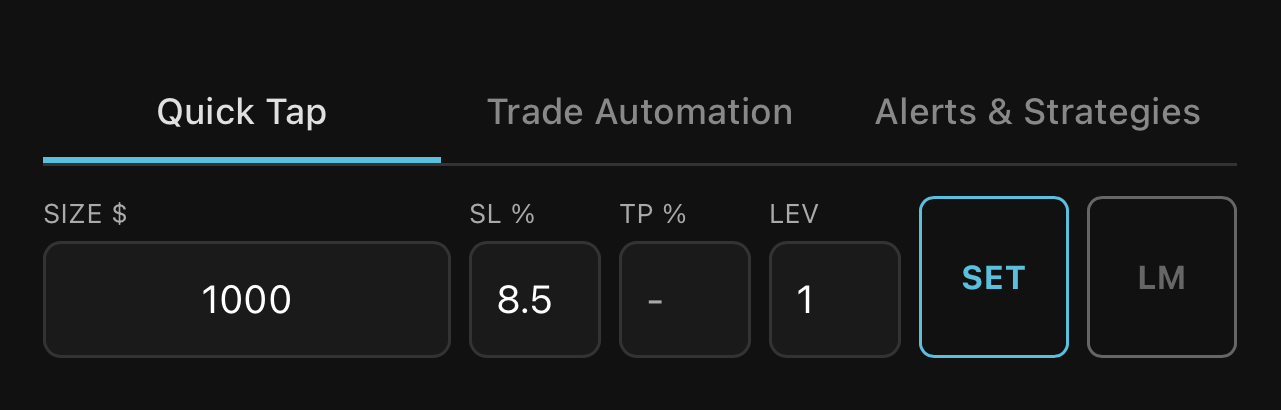
Consistent trading made easy. Enter size, SL%, TP%, and leverage, press SET and every trade uses the same settings. Change values without tapping SET for one-off discretionary trades; saved settings stay untouched.
| LONG|FLIP|SHORT | 3 taps | Asset → Direction → Confirm |
| Trade + hypr(rsk, be, atr) | 3 taps | Asset → Direction → Execute |
| SPOT buy + hypr(SL) | 3 taps | Asset → BUY → Select SL |
Auto 3-Phase
hypr(rsk, be, atr)
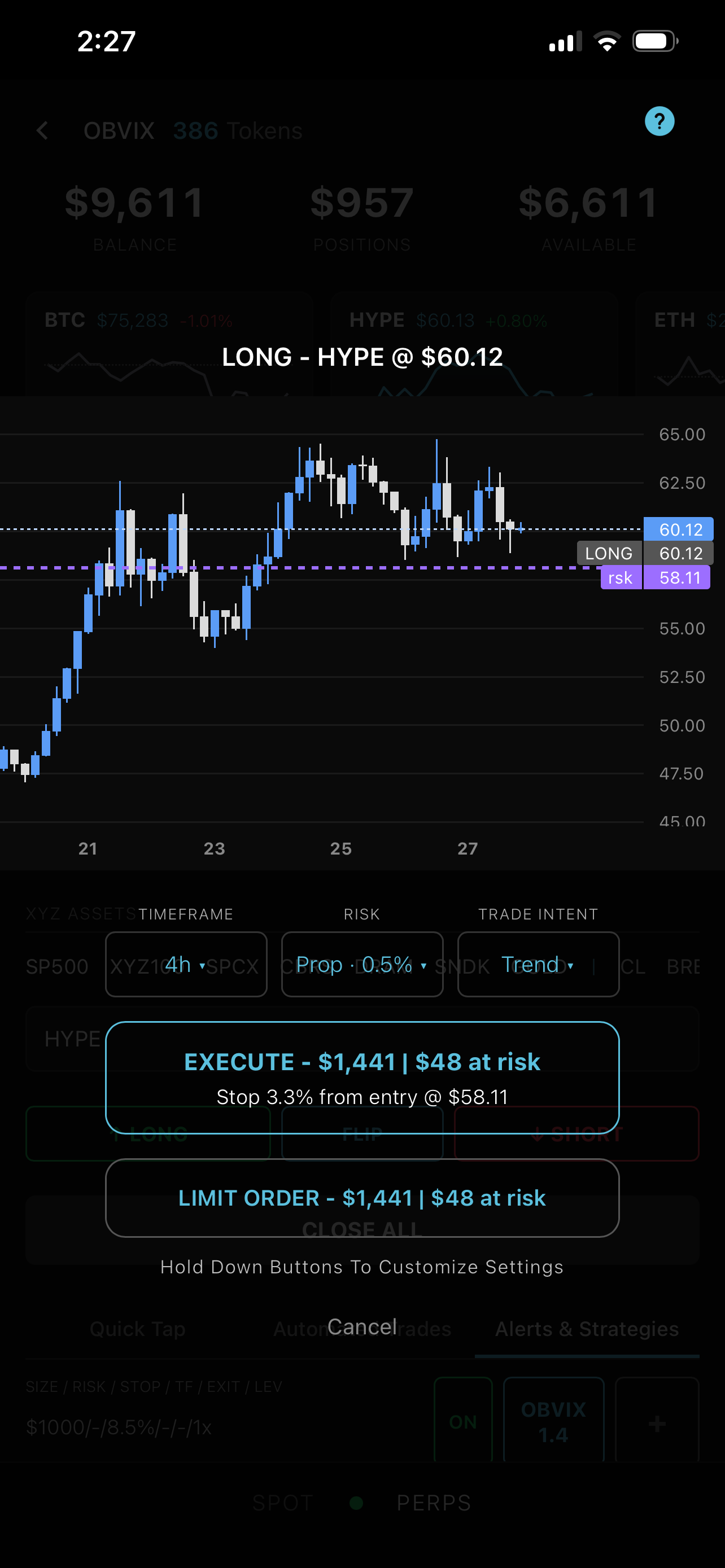
When the 3-phase systematic trade engine is activated, position is auto-sized and the trade is managed across three phases: Defined Risk → Break-Even ATR → ATR Trailing.
| Phase | What It Does |
|---|---|
| rsk | VWATR-calibrated stop from entry |
| be | Stops move to break-even ATR |
| atr | ATR trailing engages and ratchets up |
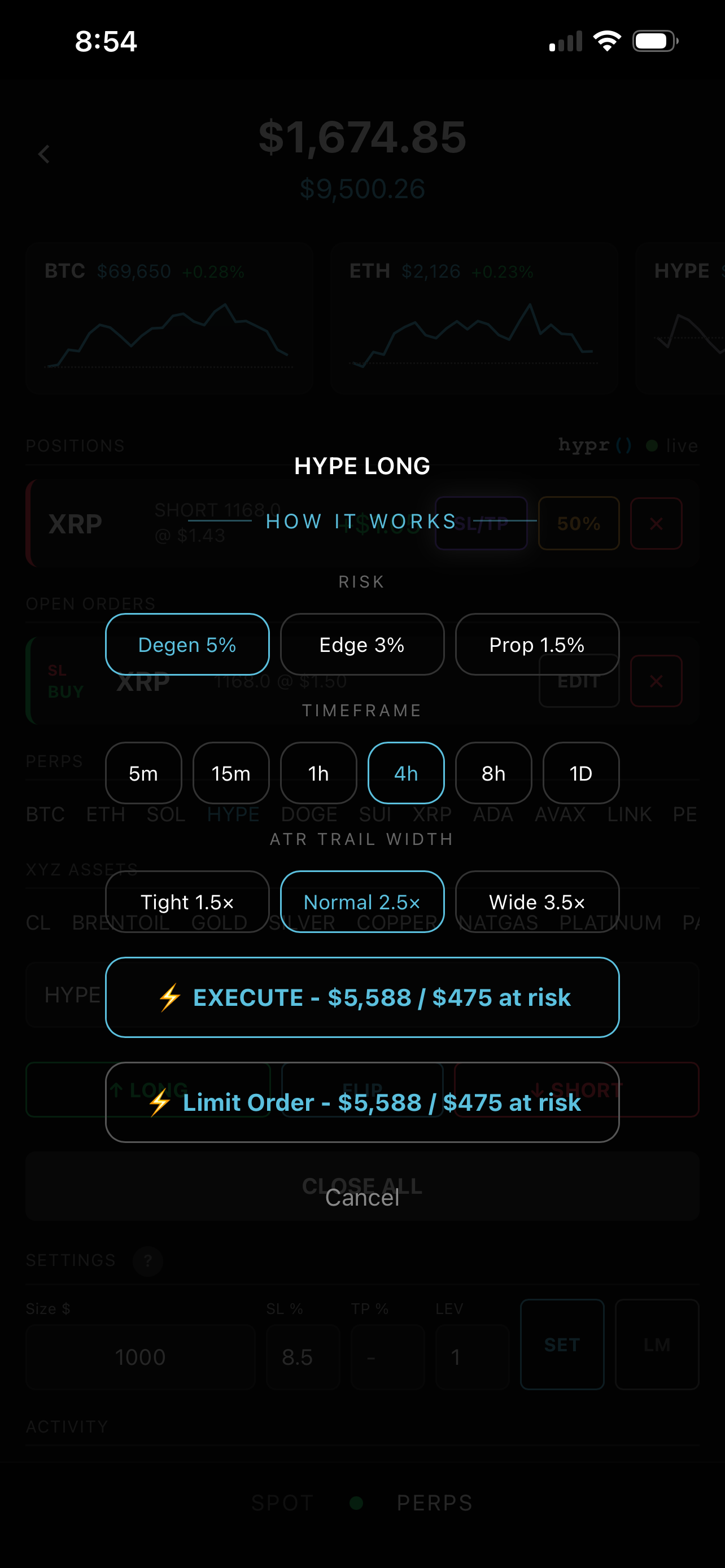
Select your Trade Intent (Scalp, Range, or Trend), pick a risk profile (Prop 0.5%, Edge 1.5%, or Degen 3%), and a timeframe. Engine trades always run at 1x; the position is auto-sized so your risk percent is what is truly at risk. A volatility-adaptive stop is placed on entry. 3 taps to an automated trade.
Stop distance, position size, and risk multiplier are all auto-calibrated from live volatility data. The defaults cover the majority of setups across any asset or timeframe. For full control, hold down the execute button to set exact size, risk, and stop distance. Full Breakdown →
Stop Losses on SPOT
hypr(SL)
Nobody can place stop loss orders on spot positions in Hyperliquid until now.
- Closes position when the trigger price is hit and verifies it closed, as it should.
- No webhooks or third-party. 100% native.
- Works 24/7. Falls back to API polling if WebSocket drops.
Watchlists
| Action | How |
|---|---|
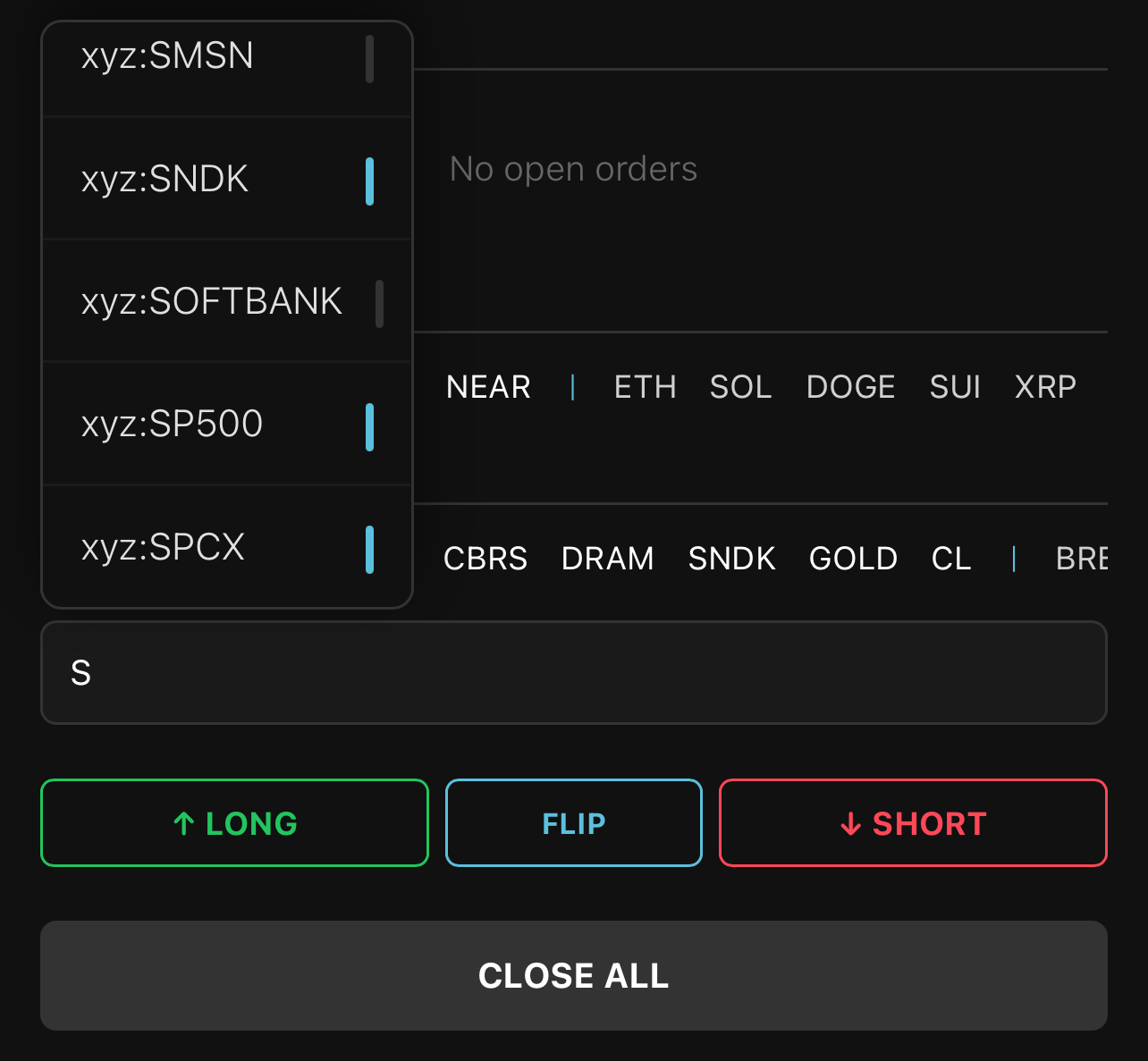
| Add | Hold any ticker in the scrolling asset list for half a second to pin it to the front of the row. Or start typing in the placeholder and tap any vertical bar to add it to the watchlist. |
| Reorder | Drag any ticker to a new position in the row. |
| Remove | Use the vertical scroll of assets and tap the blue bar to unpin it. |
Settings
Three tabs cover everything from quick tap execution to full trade automation.
| Tab | Configures |
|---|---|
| Quick Tap | Trade size, SL%, TP%, leverage, and execution mode. Tap SET to save; every trade uses the same values. Change without tapping SET for a one-off override. |
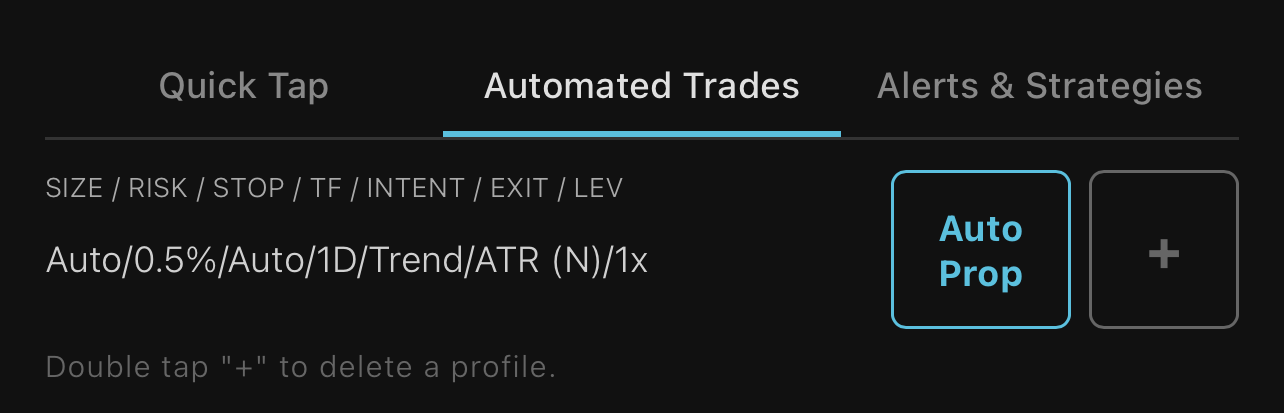
| Automated Trades | Named configurations of settings pre-loaded on every activated trade. Switch via dropdown. Tap + to create, double-tap + to delete. Hold down the execute button to override on the fly. |
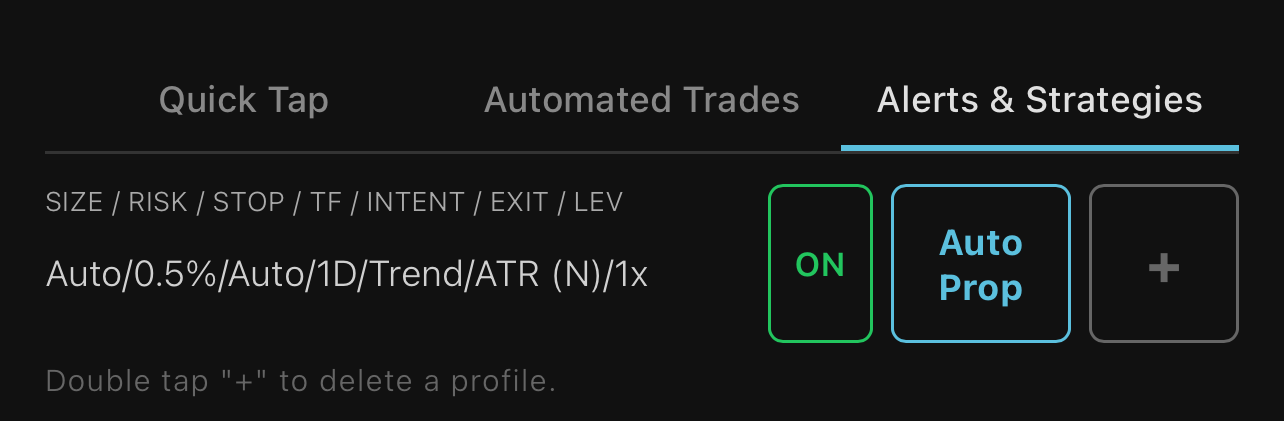
| Alerts & Strategies | Webhook automation settings for alerts and strategy signals via TradingView or other systems. Full Breakdown → |
App Key Features
| Feature | What It Does |
|---|---|
| 3-Tab Settings Hub | One tab per trade method. Quick Tap, Automated Trades, Alerts & Strategies. Each configured independently. |
| Quick Tap Settings | SET saves size, SL%, TP%, leverage, margin mode, and order type. Every manual trade uses the same config. |
| Trade Intent | Pick the structure per automated trade: Scalp, Range, or Trend. The engine routes management to match: scalps close on the first turn, range trades hold tight inside the range, trend trades ratchet through all three phases. Switchable mid-trade. |
| Iso/Cross Margin Toggle | Per-account default in the Quick Tap settings row; applied on new leveraged positions for assets with no existing position. |
| Liquidation Price Display | Shown on the trade confirmation, the chart preview, the open position card, and the execution toast for leveraged positions. HL-exact math. |
| Automated Trade Profiles | Named profiles with custom risk%, timeframe, trail width, Trade Intent, and sizing. Create multiple, switch between them. |
| Webhook Profiles | Named profiles for webhook automation. Select a default in-app or reference by name in the JSON payload. |
| 7ms Webhook Execution | Webhook trades return immediately; execution runs in the background. No TradingView timeouts. |
| Auto-Refresh Dashboard | Balances and PnL update every 3s without reloading. |
| Auto SL/TP On Every Fill | Every manual trade auto-places stop loss and take profit. |
| Liquidity Wick Protection | When price wicks through your stop but recovers, the system holds, remaining locked into the trend. |
| Fill Verification | Each order verified. No silent failures. |
| Pyramid Orders | Add to positions. |
| Quick Tap Position Close | 50% or ALL on SPOT or PERPS. |
| LM / MO | LM places a limit order at mid price with skew to ensure fill. MO is a market order. |
| On the Fly Override | Update values without pressing SET. |
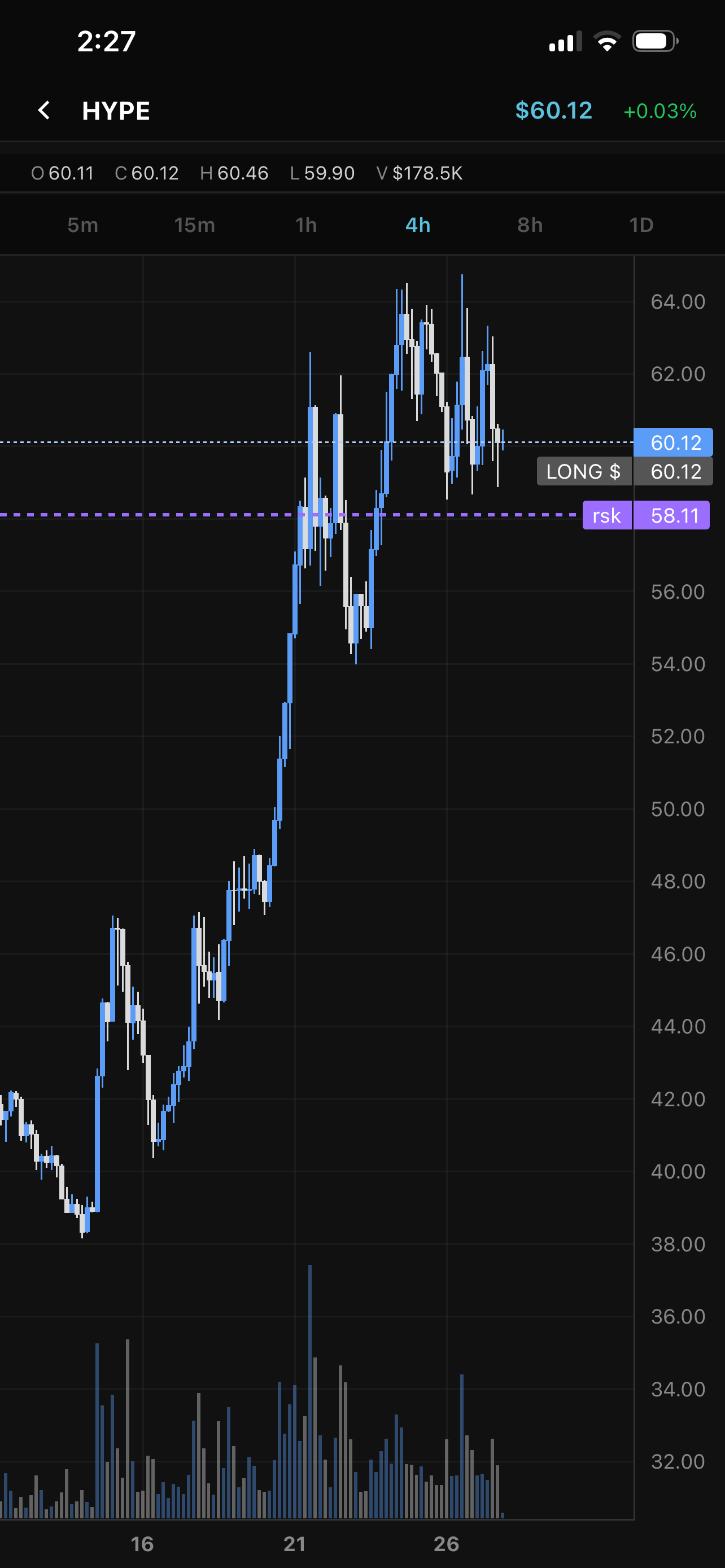
| Charts | Sparkline mini-charts (top 5 perps + top 5 XYZ by volume) with price and % change. Tap for fullscreen candlestick and volume chart (1m, 5m, 15m, 1h, 2h, 4h, 8h, 1D, 1W). Tap any position or order ticker for its chart. Live candle data from Hyperliquid with entry, stop and risk levels shown. |
| Passkey Auth | Face ID, Touch ID. No passwords. |
Accounts Page
Balance and PnL chart (24H / 7D / 30D / ALL) with volume, high, and low stats. Webhook bell for automated event history. Complete trade tape at the bottom of the page.
| Feed | What's In It |
|---|---|
| Activity | Every trade logged (success + fail) so the trade tape is complete. |
| Alerts | Failures only, scan what went wrong. |
| Webhook Logs (bell) | Automated events only (TradingView + spot stop triggers). |
Automation via Webhooks
Fully automated algo trading via webhooks. Every entry, close, pyramid, and position flip executes on Hyperliquid the moment your alert or strategy fires. We use TradingView for this, but any system that sends webhooks with a JSON payload will work. Full Breakdown →
| Mode | Behavior |
|---|---|
| Entries Only | Send entries and the systematic trade engine auto-sizes the position and manages the close across all three phases; you never send a close signal. |
| Bot Mode | Send your own entries and closes from your bot or strategy, and hypr() executes them at your size, stop, take-profit, and leverage. |
All webhook trades execute as limit-mid orders with a skew, filling at speed without market-order slippage; limit-price orders are not available over webhook.
Saved settings as profiles are where the power is. Save settings as a profile for every bot or strategy you run; each carries its own risk, size, stop, timeframe, leverage, and even a custom account balance to size against. Run as many bots side by side as you want, and review each bot's performance on its own. Your account ships with four saved settings profiles to start: Auto Prop, Auto Edge, Auto Degen for entries only, and a Bot example for entries and closes.
Trade Review & Analysis
Every account gets a full review of its trading: PnL, win rate, hold times, sizing discipline, leak detection, and an engine scorecard showing what auto-sizing and the 3-phase engine would have changed. Webhook bots get per-bot performance, so each strategy is judged on its own.
Not connected yet? Paste any Hyperliquid wallet address at hypr.run/check for the free scan - yours, or the whale you are about to copy.
Supported Assets
| Market | Assets |
|---|---|
| PERPS | BTC, ETH, SOL, HYPE, DOGE, and 100+ perpetuals |
| SPOT | BTC, ETH, SOL, HYPE, XAUT, WLD, ENA, MOG, ZEC + PURR, FARTCOIN, XPL, PUMP, MON, BONK, and more |
| XYZ | GOLD, SILVER, TSLA, NVDA, AAPL, META, and more |
Use common ticker names in your snippets; hypr() handles the mapping automatically.
Note: Hyperliquid candles and data differ from other exchanges, which can create different price action, wicks and volume data than other exchanges.
Quick Reference
| Feature | Best For |
|---|---|
| Quick Tap Trading | Friction free trade execution |
| hypr(SL) Stops | Stop losses on SPOT positions |
| hypr(rsk, be, atr) | Auto LONG/SHORT systematic trade engine |
| Strategy Alerts | Full automation via webhooks |
| Trendline Alerts | Chart-based entries and closes |
| Trade Review & Analysis | Review & Analyze your trading performance |