Automation via Webhooks
Three Ways To Automate On Hyperliquid
Bots/Strategies - every entry, exit, pyramid, and position flip executes on Hyperliquid the moment your PineScript strategy fires a webhook.
Alerts - draw a trendline, set a price level. When it triggers, the trade opens and the systematic trade engine manages the position automatically.
Indicators - an MA cross, a VWAP touch, an RSI signal. One alert, one snippet. Position auto-sized from your risk profile.
Saved Settings/Profiles
Saved profiles hold your trade settings - position size, risk, stop, timeframe, exit method, and leverage - so the snippet never has to carry them. Create profiles in the Alerts & Strategies tab of the trading dashboard, then call them from the zero-code snippet generator.
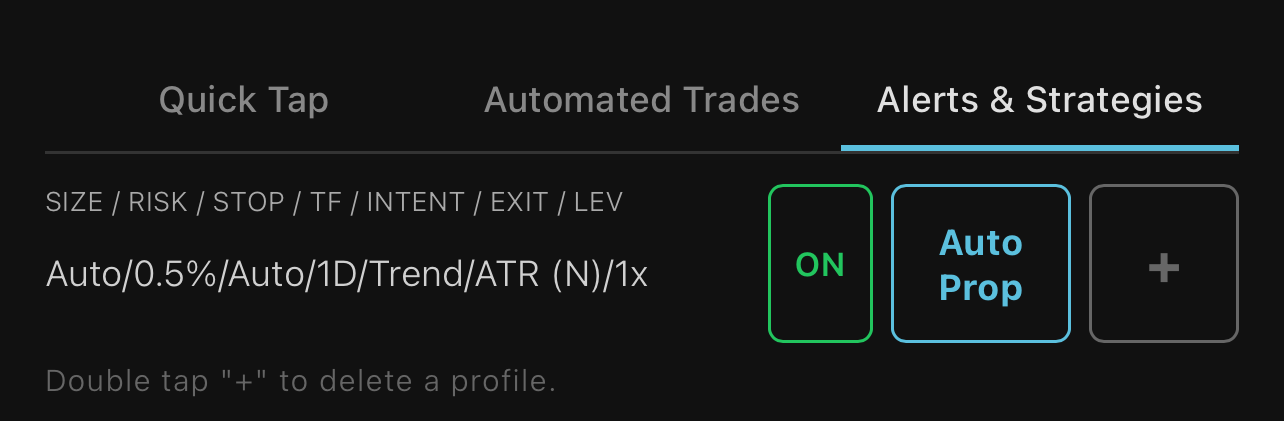
Two modes:
Bot Mode (3-phase engine off) - for strategies with their own exit logic. Uses your configured size, SL%, TP%, leverage, and execution method. No 3-phase engine.
ACTIVATE ON - the systematic trade engine arms on every fill. Position is auto-sized from your balance and risk %. The three-phase exit engine manages the trade automatically.
Use the snippet generator to select a profile and 1 click copy the snippet for your webhook message.
Guides
Bot Mode using TradingView
Your TradingView strategy sends its own entry and close signals via webhook. Save a Bot Mode profile (3-phase engine off) and each trade executes with the size, SL%, TP%, and leverage you set.
Setup
1. In the app, Menu → Webhooks & Snippets → Strategy tab: copy the Webhook URL and your snippet.
2. In TradingView, create a new alert on your strategy.
3. Check Webhook URL and paste yours. Paste the snippet into the Message box.
4. Set expiration to Open-ended and create.
TradingView Strategies
Our flagship strategy is free and open-source on TradingView. Free to copy, modify and improve.
Automate on Hyperliquid - Strategy Webhook Template FREE
A production-grade trade system for automating strategies on Hyperliquid via webhooks. Five-level priority chain (entries, pyramids, trailing exits, smart stops, redundant stops), four ATR trailing architectures with volume-weighted volatility, entry quality filters (wick nullification, SFP detection, volume confirmation), and pyramid scaling. Three built-in signal systems (EMA crossover, Turtle breakout, Swing Failure Pattern) that you can toggle independently or replace with your own logic.
Helpful hint: when developing your own strategies or system, the compounding effect is so powerful that it blows out any edge you may have created. In order to develop your edge and strategy, do not compound your returns when backtesting.
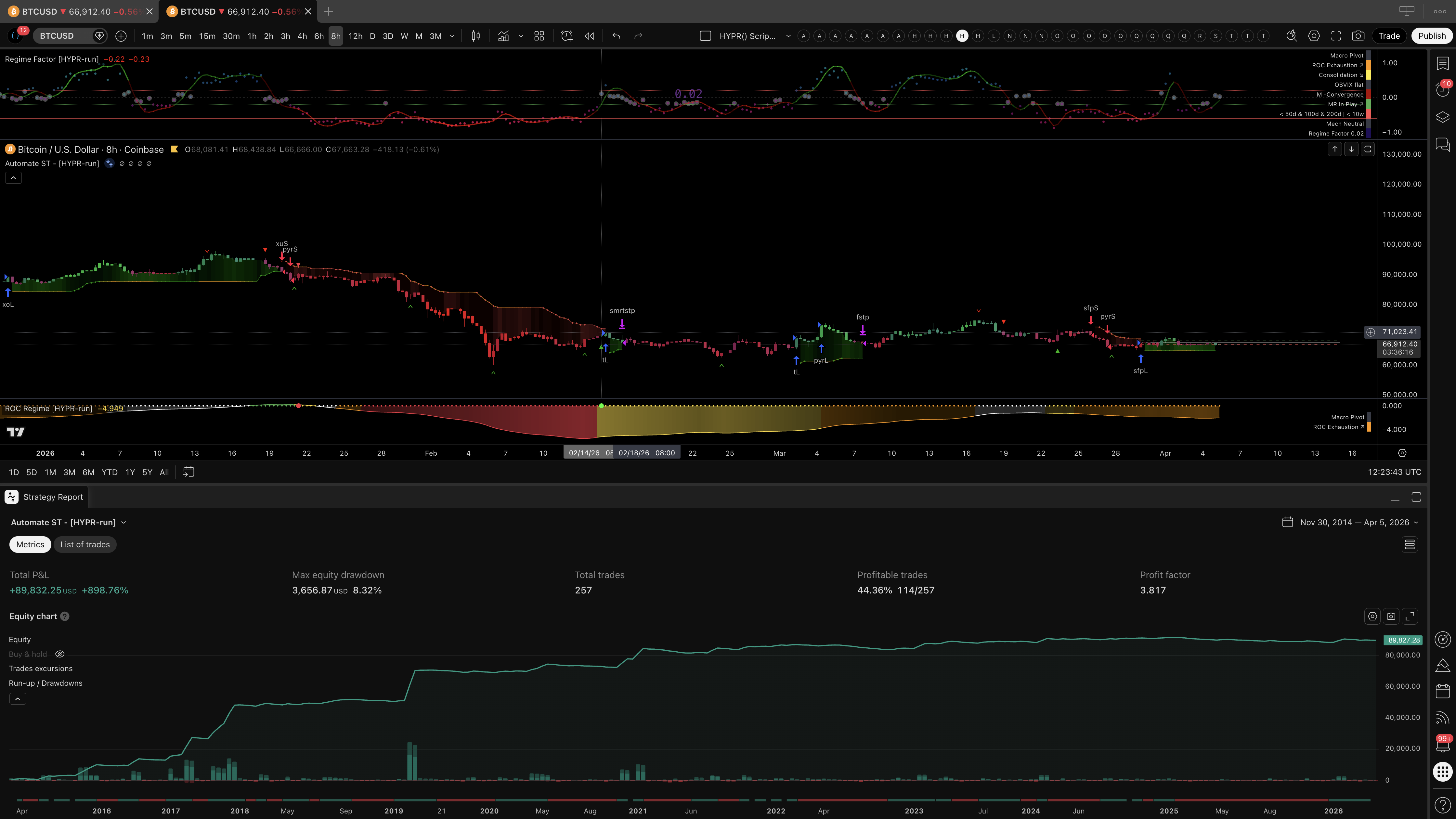
Use the built-in signals as-is, customize the entry logic to your own edge, or use the trade engine as a foundation for entirely new strategies. Historical mode runs full backtests; the script's Bot Mode input calculates only the last 300 bars for lighter live execution (a TradingView calc setting, separate from the app's Bot Mode profile).
Visit us on TradingView to access all 10 open-source scripts and indicators.
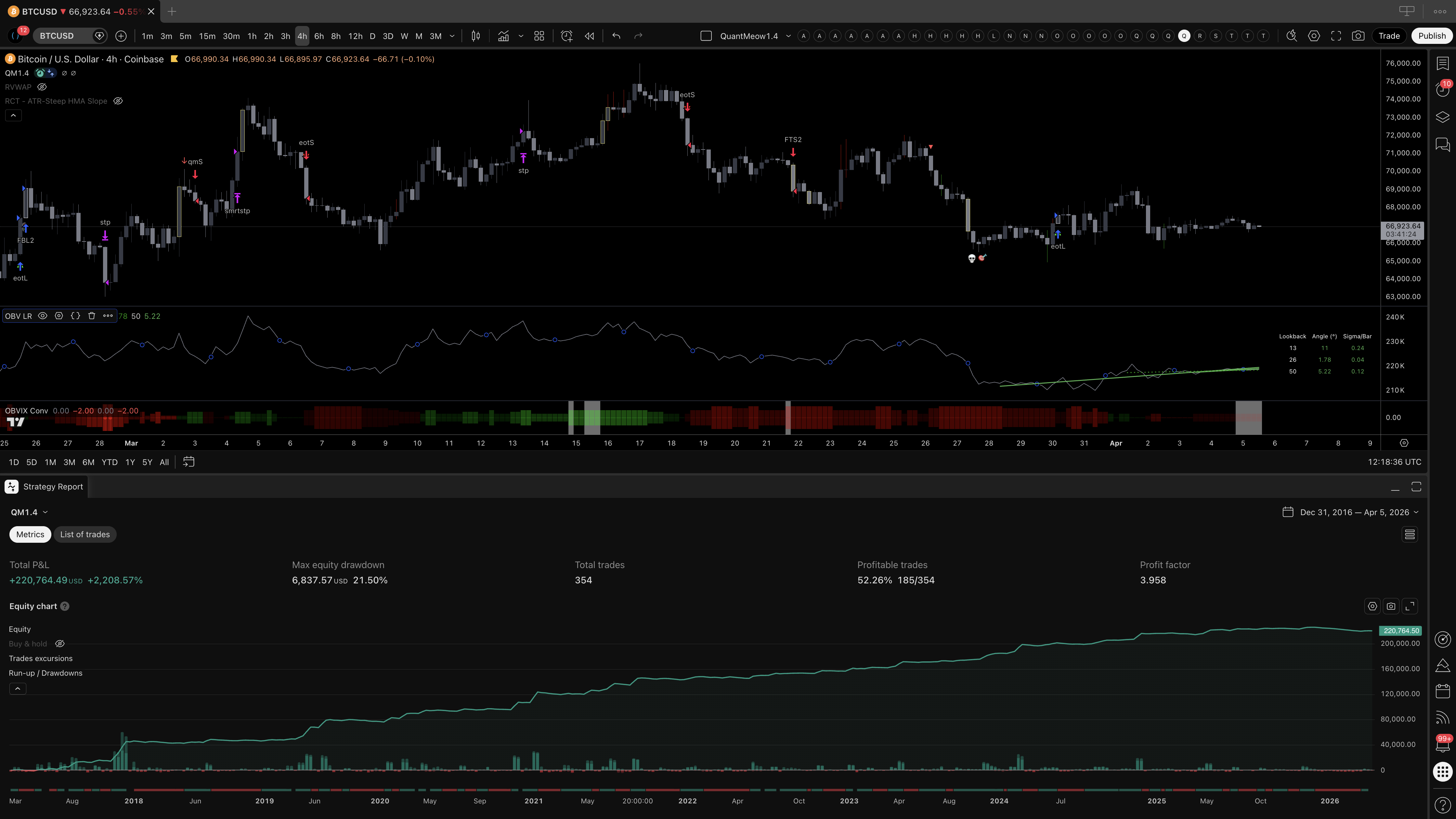
The learning, experience, and development of algorithmic trading for almost a decade is the foundation that hypr.run is built on top of. The post below walks through the journey and shows how regime filters can analyze and improve trade entries.
What a fully built strategy looks like running on the same trade engine:
Pure Webhooks - No TradingView
This path is for bots that run outside TradingView - a Python script, NinjaTrader, MetaTrader through a bridge, or anything that can send an HTTP POST. The one requirement: your bot POSTs a JSON snippet to your hypr.run webhook URL, https://hypr.run/h/YOUR_TOKEN (your real URL is shown at the top of Webhooks & Snippets). hypr() reads the snippet and executes the trade. Nothing TradingView-specific is required, so you send literal values instead of placeholders.
The Building Blocks
Assemble your system from four snippets. Copy them from the PERPS or SPOT tab of Webhooks & Snippets, then make one change: where a TradingView user keeps the {{ticker}} placeholder, you put your literal Hyperliquid symbol. Position, profile, and pct are already literal.
{"market":"PERPS","ticker":"BTC","position":"LONG","profile":"Bot 1"}
{"market":"PERPS","ticker":"BTC","position":"SHORT","profile":"Bot 1"}
# close 50%, then full
{"market":"PERPS","ticker":"BTC","position":"FLAT","pct":50}
{"market":"PERPS","ticker":"BTC","position":"FLAT"}
Setup
Content-Type: application/json. The token already in the URL is your auth - no signature or API key.pct to scale out (e.g. 50), or omit it to close the full position.{"action":"test"}. The webhook bell reads "Webhook connected" when the URL is live. Swap in a real snippet after.Python Example
requests.post(
"https://hypr.run/h/YOUR_TOKEN",
json={"market":"PERPS","ticker":"BTC","position":"LONG","profile":"Bot 1"}
)
- Ticker: use the Hyperliquid name (BTC, ETH, GOLD). Suffixes like USDT, USDC, USD, PERP, and TradingView's .P marker are stripped automatically, but a clean symbol is simplest.
- Profile: a Bot Mode profile uses your saved size, SL%, and TP% and lets your bot send its own closes. An ACTIVATE ON profile auto-sizes and arms the 3-phase engine, so you send entries only and the engine manages the close.
- Rapid signals: a duplicate ticker and position within 2 seconds is dropped. For pyramiding, add "dedupe":false.
A powerful single trade automation tool
Rather than guessing price, fire a trade when it exits a channel or breakout of a chart pattern, use a trend line or any object that interacts with price on Tradingview. The systematic 3-phase trade engine will auto-size the position, manages the risk and ratchets the trail up.
Setup
{"{ticker}"}, which TradingView fills in automatically from your chart.- Ticker mapping: hypr() auto-maps common TradingView tickers to Hyperliquid names (e.g. XAUUSD to GOLD, XAGUSD to SILVER). If your ticker is not recognized, replace {"{ticker}"} with the Hyperliquid name directly (e.g. GOLD).
- Entries at Key Levels: Draw support/resistance lines with long/short snippets. Price touches your level, position opens.
- Once Per Bar Close: Prevents wicks from triggering false executions.
- One Alert Per Line. Delete the alert if you remove the line.
Precision entry execution
Fire a trade the moment a moving average crosses, price tags VWAP, an RSI level triggers, or any indicator with an alert condition fires - precision entry execution straight from your signal. The systematic 3-phase trade engine auto-sizes the position, manages the risk, and ratchets the trail up.
Our TradingView Scripts [Open-Source]
We have many free indicators on TradingView for volatility, momentum, volume, and trend analysis. Several include built-in alerts that can be wired for automated execution as explained above. These indicators are visualizations of many techniques and filters used in our proprietary automated strategies.
Example: The ROC Regime Filter indicator fires alerts on regime phase transitions and macro pivots. Set the alert, paste your webhook URL and snippet, and the position opens or closes automatically.
Any TradingView indicator with alert conditions can trigger webhooks. Use our indicators or your own.
All 10 are free and open-source on our TradingView: